Studio Display vs. Studio Display XDR Buyer’s Guide
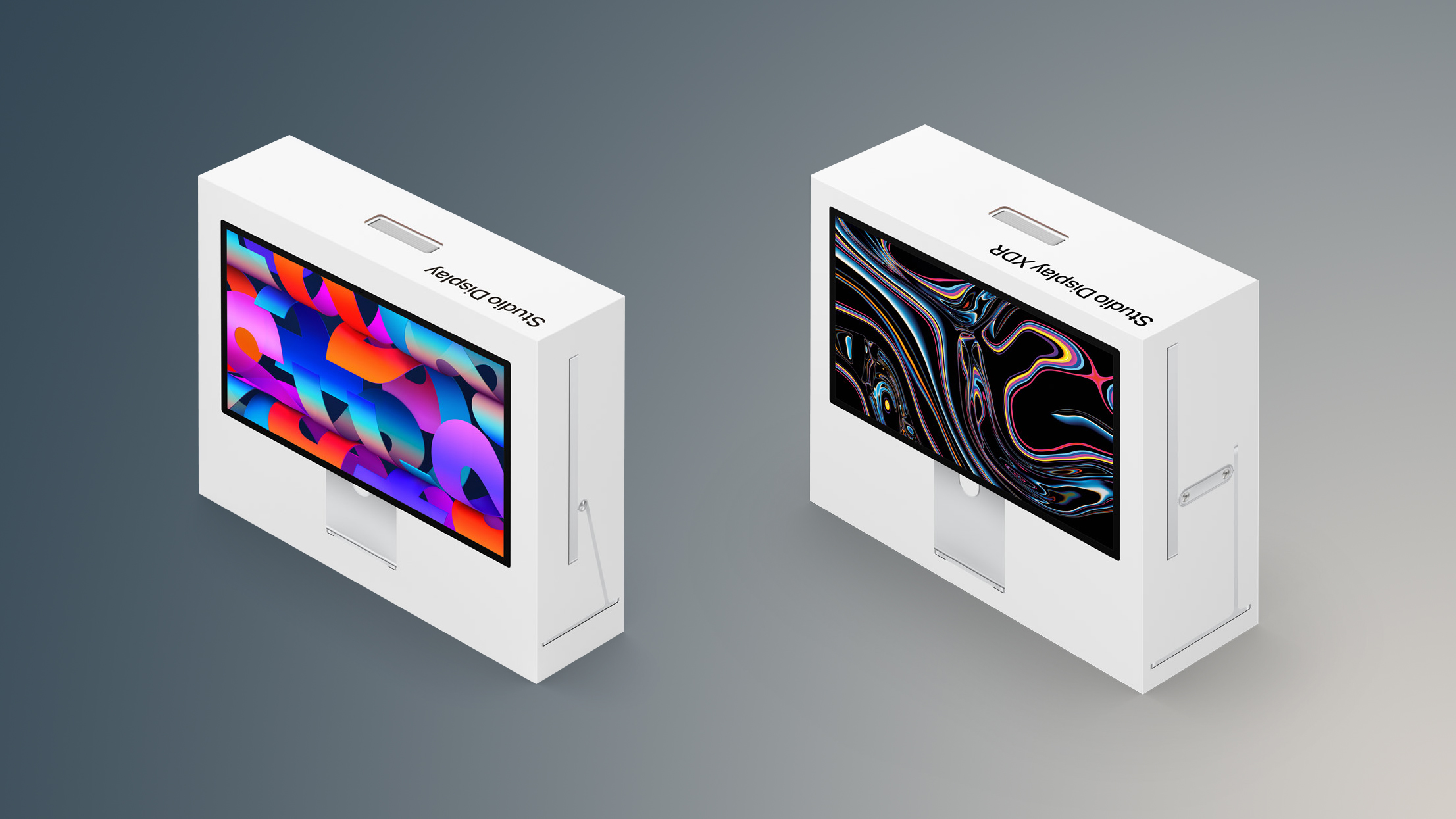
[[{“value”:”Apple’s refreshed Studio Display arrives alongside the all-new Studio Display XDR, which replaces the previous Pro Display XDR. The Studio Display XDR is more than twice the price of the Studio Display, so which should you choose?
Both Studio Display models offer a wide range of the same core features and are designed to provide a very similar overall experience for everyday use. They share the same aluminum enclosure, identical 27-inch 5K resolution with a high pixel density of 218 ppi, and many of Apple’s built-in workstation features such as the 12-megapixel Center Stage camera, studio-quality microphones, and six-speaker sound system with Spatial Audio. Both displays also include Thunderbolt connectivity, along with options like nano-texture glass and VESA mounting for different workstation setups. As a result, the two displays are much more alike than their price difference might initially suggest. The shared features include:
- Design
- 27-inch display size
- 5120 by 2880 pixels
- 218 ppi
- P3 wide color gamut
- True Tone
- Anti-reflective coating
- Nano-texture glass option
- 12MP Center Stage camera with Desk View
- Studio‑quality three‑mic array
- Six-speaker sound system with Spatial Audio
- One upstream Thunderbolt 5 port for connecting to a Mac and charging
- One downstream Thunderbolt 5 port for high-speed accessories or daisy-chaining additional displays
- Two USB-C ports for accessories and charging
- VESA mount adapter option
Despite these similarities, there are still several key differences that separate the two displays and explain the substantial jump in price. Most of these distinctions relate to the underlying display technology and performance capabilities of the Studio Display XDR, which introduces a more advanced mini-LED panel, higher brightness levels for both SDR and HDR content, and a faster refresh rate with Adaptive Sync. It also offers additional professional-focused capabilities such as expanded color support and a more powerful chip. In total, there are 10 major differences between the two monitors:
| Studio Display (2026) | Studio Display XDR (2026) |
|---|---|
| Apple A19 chip | Apple A19 Pro chip |
| LCD panel | Mini-LED panel |
| 60Hz refresh rate | 120Hz refresh rate |
| Adaptive Sync | |
| 2,304 dimming zones | |
| 600 nits brightness | 1,000 nits brightness (SDR) |
| 2,000 nits peak HDR brightness | |
| Adobe RGB wide color gamut | |
| Tilt-adjustable stand included Tilt- and height-adjustable stand option |
Tilt- and height-adjustable stand included |
| $1,599 (Tilt-adjustable stand) $1,999 (Tilt- and height-adjustable stand option) |
$3,299 |
The standard Studio Display is the better choice for most users. It offers the same 27-inch 5K resolution, design, camera, speakers, and Thunderbolt connectivity as the Studio Display XDR, making it an excellent general-purpose display for everyday Mac use. For tasks such as productivity, software development, office work, and most creative projects, the 5K Retina, 600-nit panel with P3 wide color provides more than enough brightness and accuracy. It is also substantially more affordable, starting at $1,599, which makes it far easier to justify as a monitor for Mac mini, MacBook Air, and MacBook Pro users.
The Studio Display is still well suited to photographers, designers, and video editors working primarily in standard dynamic range (SDR). Its high pixel density and wide color support allow images and graphics to appear extremely sharp and vibrant, while the built-in camera, microphones, and six-speaker system make it ideal for video calls and general-purpose workstation setups. In many workflows, especially those focused on web content, software development, or SDR video production, the additional technologies offered by the Studio Display XDR provide few practical advantages.
The Studio Display XDR is aimed at far more specialized professional workflows. Its mini-LED backlight with more than 2,000 local dimming zones enables dramatically higher contrast and brightness, reaching up to 1,000 nits in SDR and 2,000 nits for HDR content. It also supports a 120Hz refresh rate with Adaptive Sync and adds broader color support, including Adobe RGB, which is important for certain print and professional imaging workflows.
These capabilities make the display particularly valuable for HDR video editing, color grading, 3D rendering, and other production environments where accurate brightness, contrast, and color reproduction are critical. As a result, the Studio Display XDR is primarily intended for high-end creative professionals who rely on reference-grade display performance, just like the Pro Display XDR it replaced.
Some prosumers and enthusiasts who are happy to spend more for a more capable product may also gravitate toward the Studio Display XDR simply to obtain the most advanced panel Apple offers. Its 120Hz refresh rate, higher brightness, and mini-LED backlight make it much closer to the display technology used in the MacBook Pro, allowing content to appear more consistent with the built-in Liquid Retina XDR display.
Users who are accustomed to ProMotion and high dynamic range on a MacBook Pro may prefer the smoother motion and greater contrast of the XDR model, even if their work does not require it. For these buyers, the additional cost may be easier to justify as a way to achieve a more premium and future-proof desktop setup that aligns with Apple’s highest-end Mac hardware.
For everyone else, the Studio Display remains the more sensible option. The two displays share most of the same everyday features and design, but the XDR model’s advanced panel technology significantly increases the price. Unless your work directly requires HDR, extremely high brightness, or specialized color spaces, the standard Studio Display delivers a nearly identical day-to-day experience at roughly half the cost.
This article, “Studio Display vs. Studio Display XDR Buyer’s Guide” first appeared on MacRumors.com
Discuss this article in our forums
“}]]