Need to adjust your Switch’s clock? Here’s how it’s done.
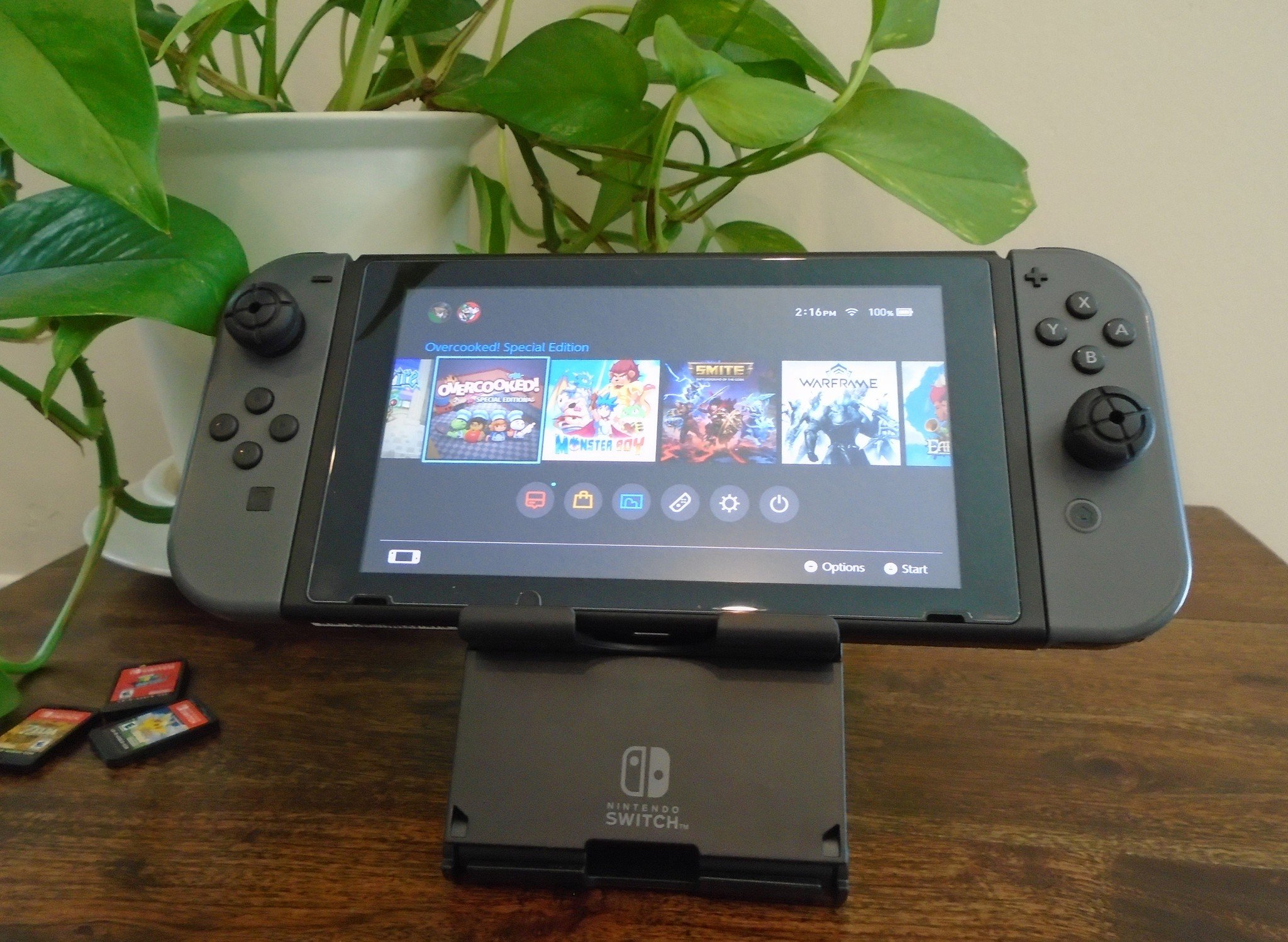
Control the flow of time… on your Nintendo Switch!
We’ve all thought about it, haven’t we? Playing Animal Crossing: New Horizons and starting a new project — do we really have to wait a whole day? What if we could take matters into our own hands and change the clock ourselves? Whether you’re switching time zones in real life or time-traveling in a game, changing the date and time on your Nintendo Switch is a breeze. Here’s how you change the date and time on your Nintendo Switch.
How to change the date and time on your Nintendo Switch
Changing the date and time on your Switch is easy and both options can be found in the same place.
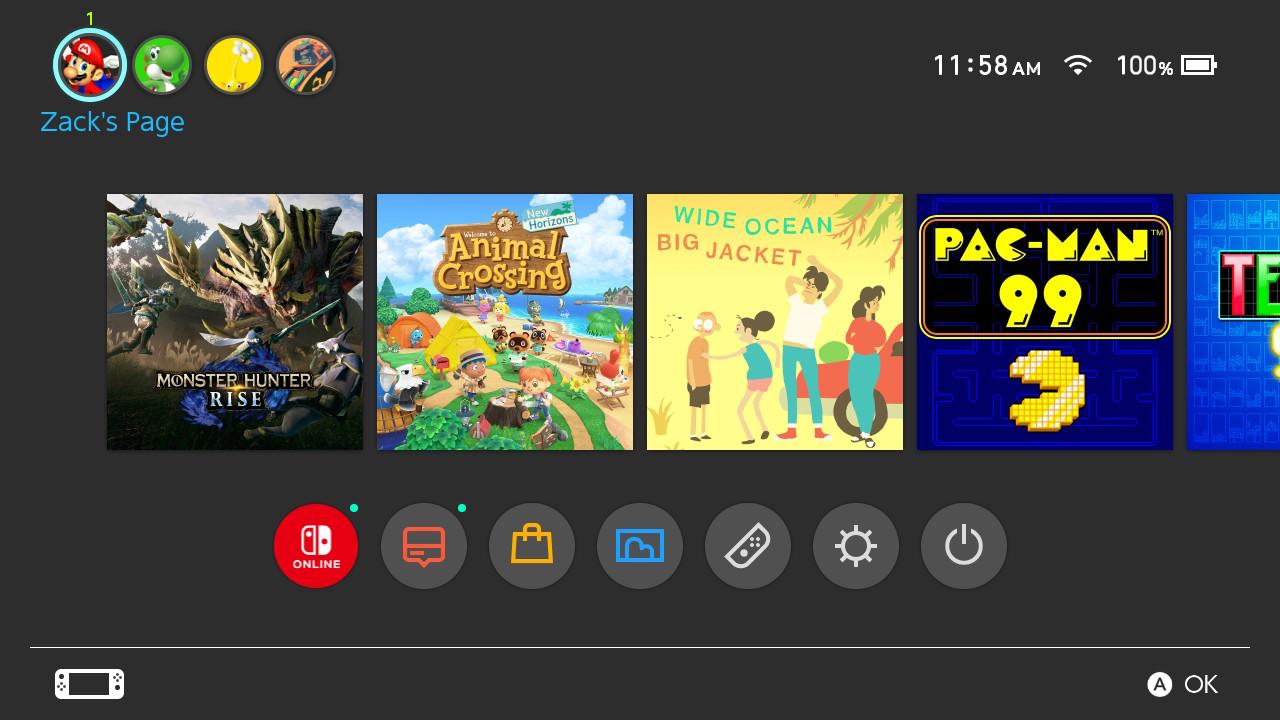
- On the Home Menu, head to the System Settings.
- Scroll down to the System option.
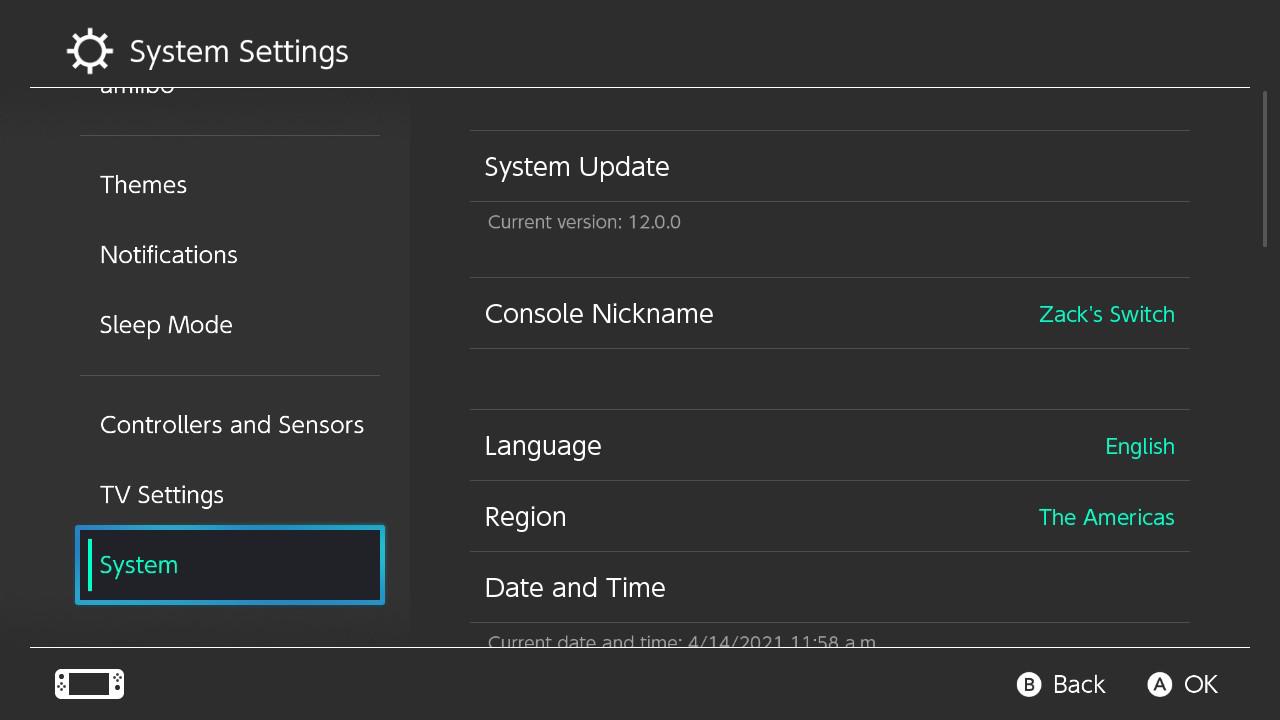
- Select Date and Time.
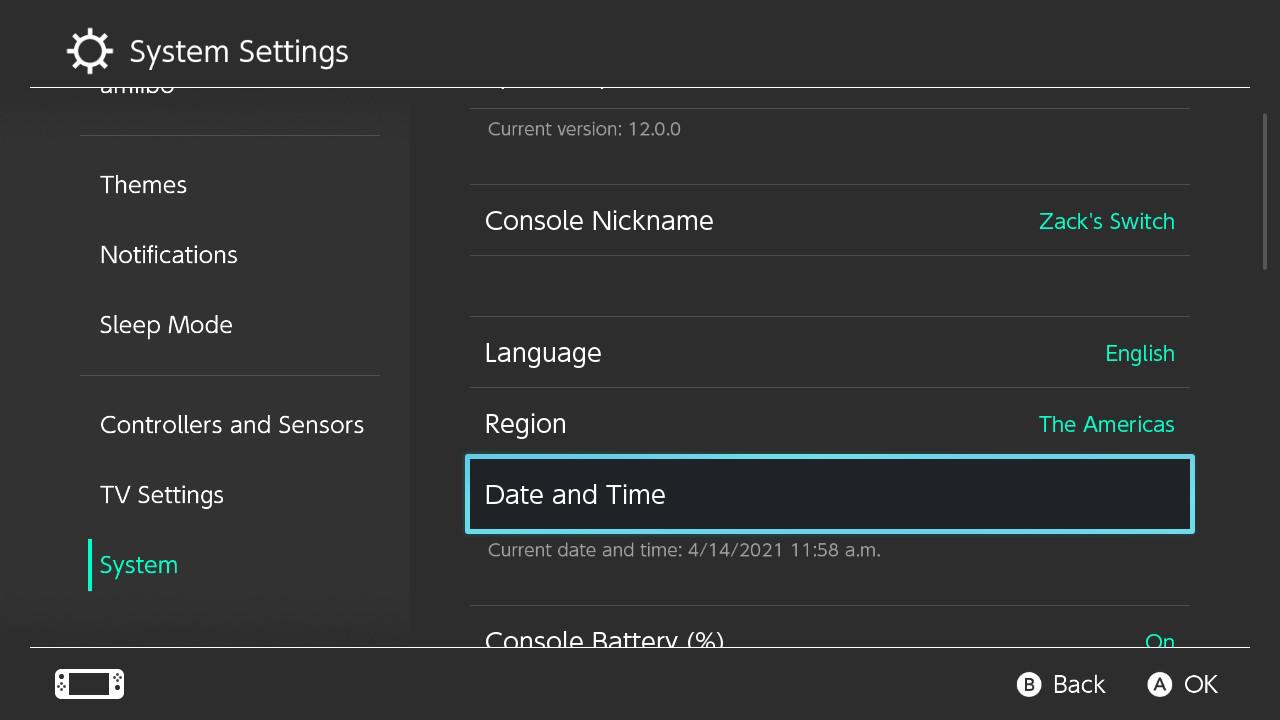
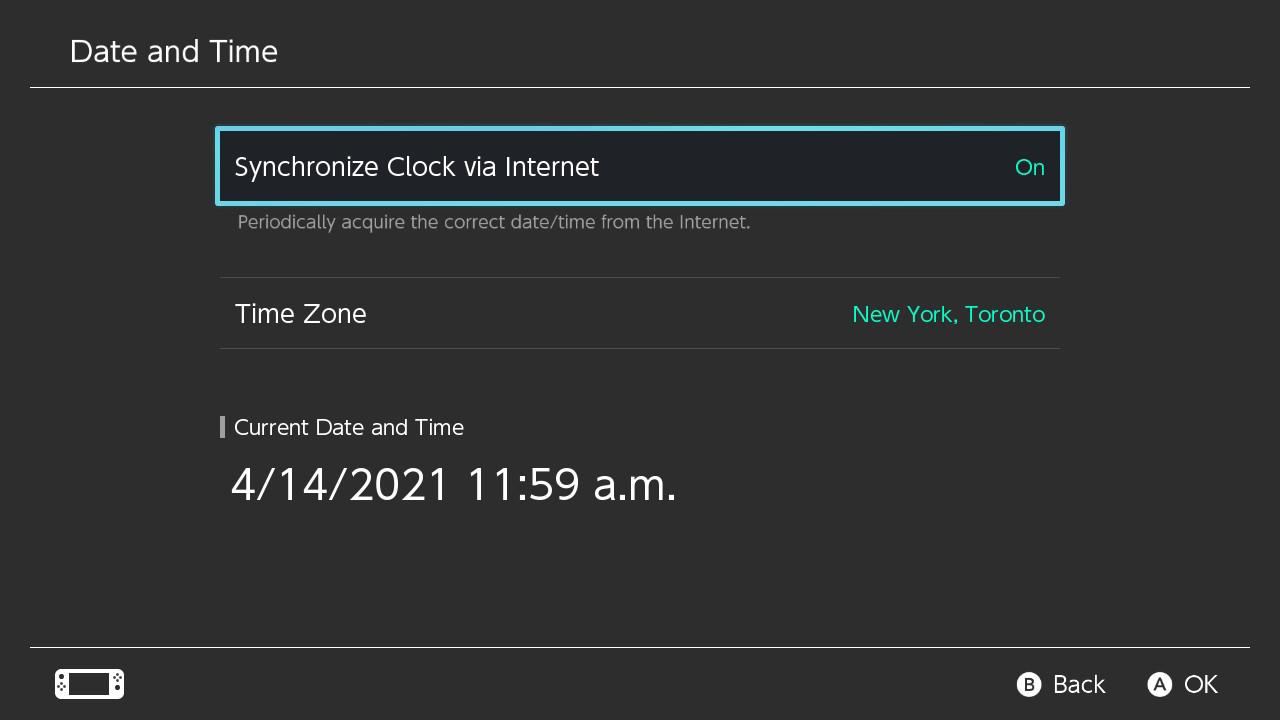
- Here, you have two options: You can Synchronize Clock via Internet or adjust the time manually.
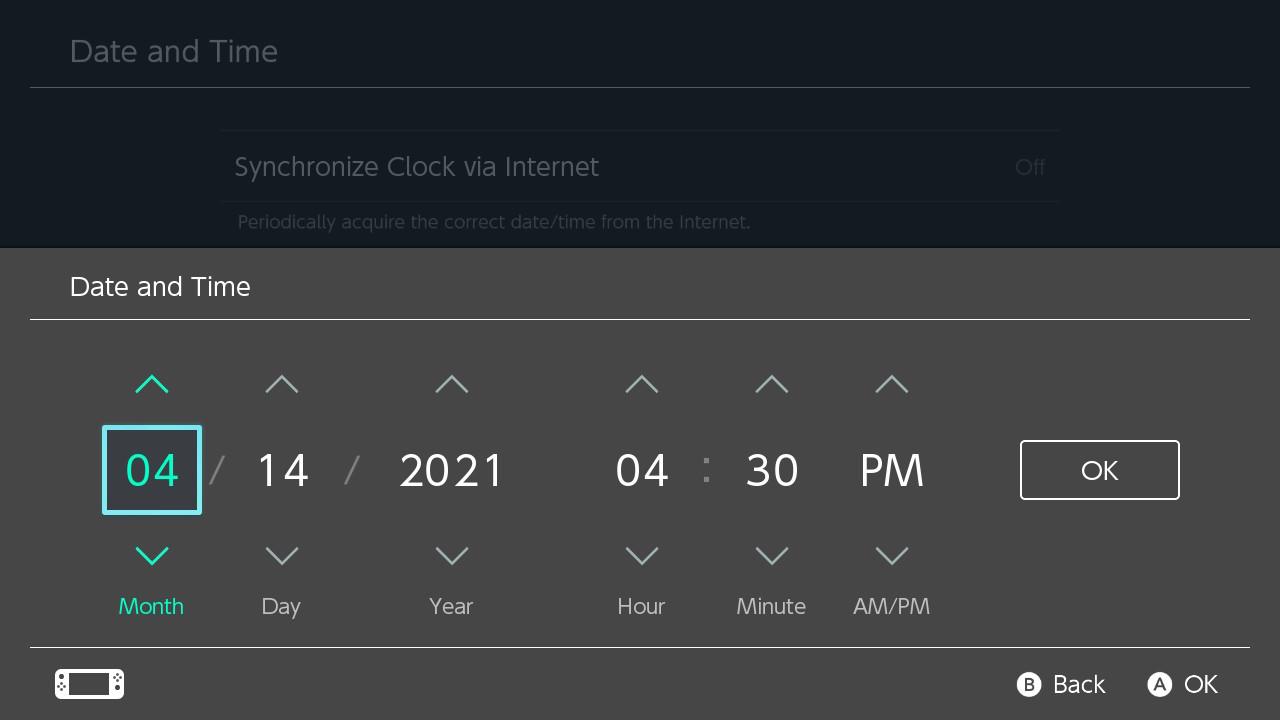
- If you turn the Synchronize Clock off, you can adjust time manually.
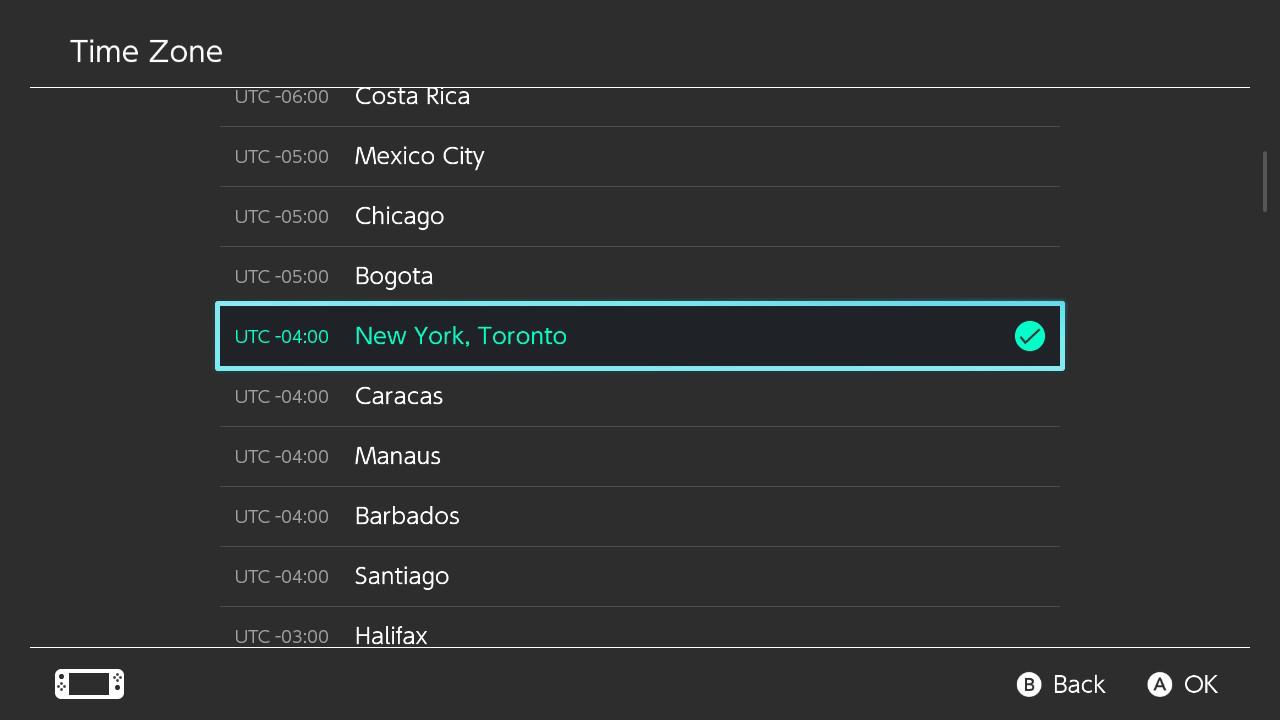
- If you keep the Synchronize Clock on, you adjust the time by changing the Time Zone.
And that’s it. With just some slight tweaks, you can adjust your Nintendo Switch’s internal clock to whatever you’d like it to be.
All the time you need
That’s how you change the date on your Nintendo Switch. Switching your date and time can be useful in certain games that run on real-world clocks, like Animal Crossing: New Horizons or Cozy Grove. It’s also useful if you find yourself without an internet connection and want to adjust the time to match your current location. The method above also works for the Nintendo Switch Lite, so wherever you are, you can ensure you’re playing the best games the Nintendo Switch has to offer at the right time, every time.
Coins for your virtual wallet
Nintendo Switch eShop Gift Card

$20 at Best Buy
$20 at Amazon
$20 at Walmart
Digital coins for your digital wallet
Fill your virtual wallet with eShop credit and buy some of the great games available on the Nintendo Switch.